Most teams do not notice AI crawler problems until someone asks a simple question: why did the answer engine cite a competitor instead of us?
The first reaction is usually to find a list crawlers DC resource, paste a few bot names into a spreadsheet, and decide which ones to allow or block. That feels operational. It is not enough.
Teams think the problem is identifying AI crawlers. The real problem is building a repeatable workflow for crawler access, content visibility, answer eligibility, and proof. If you cannot see what AI crawlers can fetch, parse, and trust, a bot list is just trivia.
In 2026, list crawlers DC should be treated as an architecture decision. You are not only asking which bots exist. You are deciding how discovery works across robots.txt, llms.txt, sitemaps, schema, server logs, CDN rules, and content structure. That changes the conversation.
Table of contents
List crawlers DC is not a spreadsheet problem
The bot name is only the first signal
A list of crawlers is useful, but only as a starting point. The mistake teams make is treating the user agent string as the whole identity of the crawler. In production, the user agent is one signal among several: source IP behavior, request path, crawl rate, robots compliance, JavaScript handling, cache behavior, and whether the crawler ever reaches the content that matters.
A useful way to think about it is this: a crawler list tells you who might be at the door. Your infrastructure tells you whether they were allowed inside. Your content architecture tells you whether they found anything worth citing.
For answer engine optimization, that distinction matters. A crawler can be technically allowed and still fail to understand the page. A page can be crawlable and still be too vague to cite. A bot can appear in logs but never reach the commercial page your team cares about.
Related reading from our network: product teams face the same visibility problem when AI systems must understand product surfaces, not just pages, in answer engine optimization product management.
Practical rule: Do not approve or block a crawler based only on its name. Decide based on identity confidence, page access, business value, and abuse risk.
The decision has to connect to business outcomes
The practical question is not whether a crawler exists. The practical question is whether allowing that crawler improves qualified discovery without creating unacceptable cost, scraping, or compliance exposure.
For a documentation site, allowing major AI crawlers may help support answers and developer adoption. For a paywalled research site, the decision may be narrower. For an ecommerce catalog, crawl visibility may need to include product schema, inventory pages, canonical URLs, and freshness controls. For a local services site, the priority may be entity clarity, service areas, FAQs, and crawlable proof of expertise.
That is why list crawlers DC needs a decision model:
- Which crawler classes are useful to the business?
- Which pages should they access?
- Which pages should they never access?
- Which files communicate preferred AI discovery paths?
- Which logs prove the policy is working?
- Which content fields make citation easier?
Without that model, teams argue about bots instead of outcomes.
Build crawler inventory around decisions
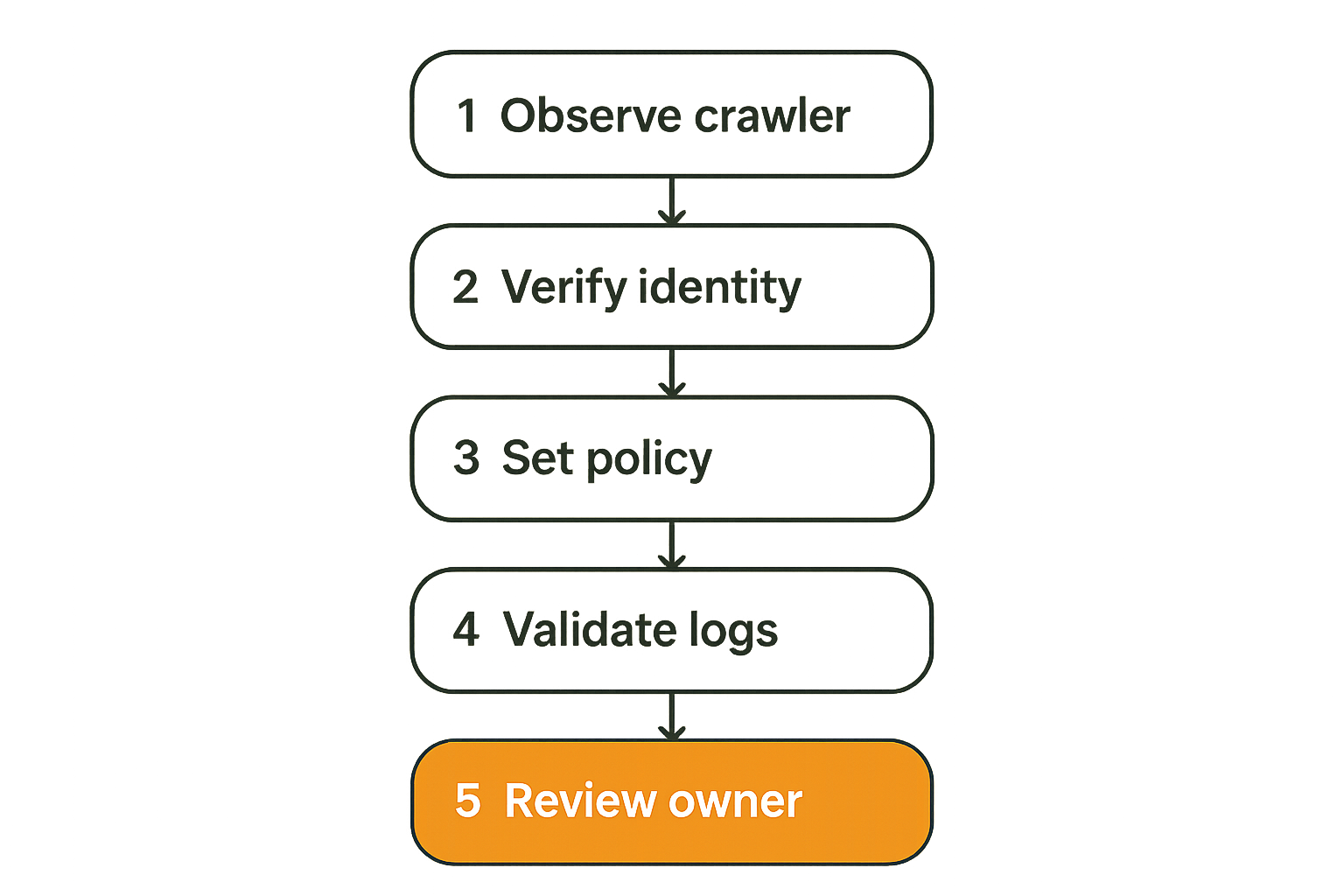
Group crawlers by purpose
A crawler inventory should not be a flat file of names. Group crawlers by the reason they touch your site.
Common groups include:
- Search crawlers for traditional indexing.
- AI training or retrieval crawlers for model and answer systems.
- AI assistant fetchers that retrieve pages during user sessions.
- SEO tools and monitoring bots.
- Security scanners and uptime monitors.
- Unknown automated clients that need investigation.
This grouping makes policy possible. You may want broad access for search, controlled access for AI answer engines, full access for your own monitoring, and rate-limited observation for unknown automation.
The keyword list crawlers DC often implies a data center style inventory: crawler name, IP ranges, access policy, owner, and notes. That is fine, but the inventory should answer operational questions, not just document labels.
| User agent | Initial identification | GPTBot | GPTBot observed on docs and blog pages |
| Source pattern | Confidence and abuse checks | Unknown IPs | Verified ranges where possible, plus behavior notes |
| Allowed paths | Policy scope | Allow all | Allow blog, docs, product pages; block account and checkout |
| Business reason | Why access exists | AI | Eligible for answer engine citation |
| Log status | Proof of behavior | Not tracked | Last seen, status codes, crawl depth, blocked paths |
| Owner | Who decides changes | SEO | Growth owns policy, engineering owns enforcement |
Separate policy from observation
Policy is what you intended. Observation is what actually happened.
Keep those separate. Your robots.txt may allow a bot, but your CDN bot rules may block it. Your llms.txt may point to important pages, but the server may return a 403 to one crawler and 200 to another. Your sitemap may include canonical URLs, but client-side rendering may hide the actual answer from basic fetchers.
What breaks in practice is drift. Marketing adds a new content hub. Engineering changes WAF rules. A CMS plugin adds noindex tags. A CDN setting starts challenging non-browser clients. Nobody notices until AI answers stop mentioning the site.
Practical rule: Treat crawler policy as configuration and crawler behavior as telemetry. You need both, and they will diverge unless someone reviews them.
Map crawler access before optimizing content
Start at the edge
Before rewriting content for answer engines, trace the request path. Many AEO problems start before the page loads.
Check the layers in order:
- DNS and hosting behavior.
- CDN and WAF rules.
- robots.txt directives.
- HTTP status codes.
- Redirect chains.
- Canonical tags.
- Meta robots tags.
- Rendered HTML.
- Structured data.
- Internal links and sitemap inclusion.
The mistake teams make is editing copy when the answer engine cannot reliably fetch the page. That is like optimizing a landing page that returns 403 to half your prospects.
For list crawlers DC work, the edge layer matters because crawlers do not all behave like Chrome users. Some do not execute JavaScript. Some fetch only the raw HTML. Some respect robots directives aggressively. Some request at low frequency and vanish if challenged.
Trace the rendered page
Once access works, inspect what the crawler can read. This is where SEO teams and developers often talk past each other.
The developer says the page renders fine in a browser. The SEO says the answer engine is not citing it. Both can be correct. If the key answer is injected after hydration, hidden behind tabs, dependent on an API call, or wrapped in vague marketing language, a crawler may not extract it cleanly.
A practical crawlability review should compare:
- Raw HTML.
- Rendered DOM.
- Main content extraction.
- Structured data.
- Canonical target.
- Internal link context.
- Page title and meta description.
- Server status and response time.
If those tell different stories, fix the architecture before debating phrasing.
Control files are part of the crawler contract
robots.txt still matters
robots.txt is not obsolete because AI exists. It remains one of the clearest ways to publish crawler access preferences. It is also one of the easiest files to misconfigure.
For AI crawler visibility, review robots.txt for:
- Accidental global disallow rules.
- Overbroad bot blocks copied from old templates.
- Staging rules left in production.
- Disallowed asset folders required for rendering.
- Conflicting rules for broad and specific user agents.
- Sitemap declarations that point to stale files.
A common failure mode is blocking crawlers from the paths that contain the best evidence. The homepage is accessible, but /blog/, /docs/, /case-studies/, or /pricing/ is blocked. The answer engine sees the brand shell but misses the substance.
Practical rule: If a page is important for AI citation, verify that every layer allows it: robots.txt, CDN, server, canonical, meta robots, and rendered content.
llms.txt is a routing layer for AI discovery
llms.txt is emerging as a practical way to guide AI systems toward the pages that explain your site best. It is not magic. It does not force citation. But it can reduce discovery friction by telling crawlers where important summaries, documentation, policies, and canonical resources live.
If you are new to the file format, the CrawlProof guide to llms.txt and skill.md explains what to put in those files and why they matter for AI crawler workflows.
A useful llms.txt file should be boring and explicit:
- What the site does.
- Which pages are canonical explainers.
- Which documentation or product pages matter.
- Which pages should be used for current facts.
- Which pages should not be treated as authoritative.
- How to contact the site or find policy information.
Do not use llms.txt as a dumping ground. If everything is important, nothing is. The file should route AI crawlers to high-signal content.
Allow, block, or observe each crawler class
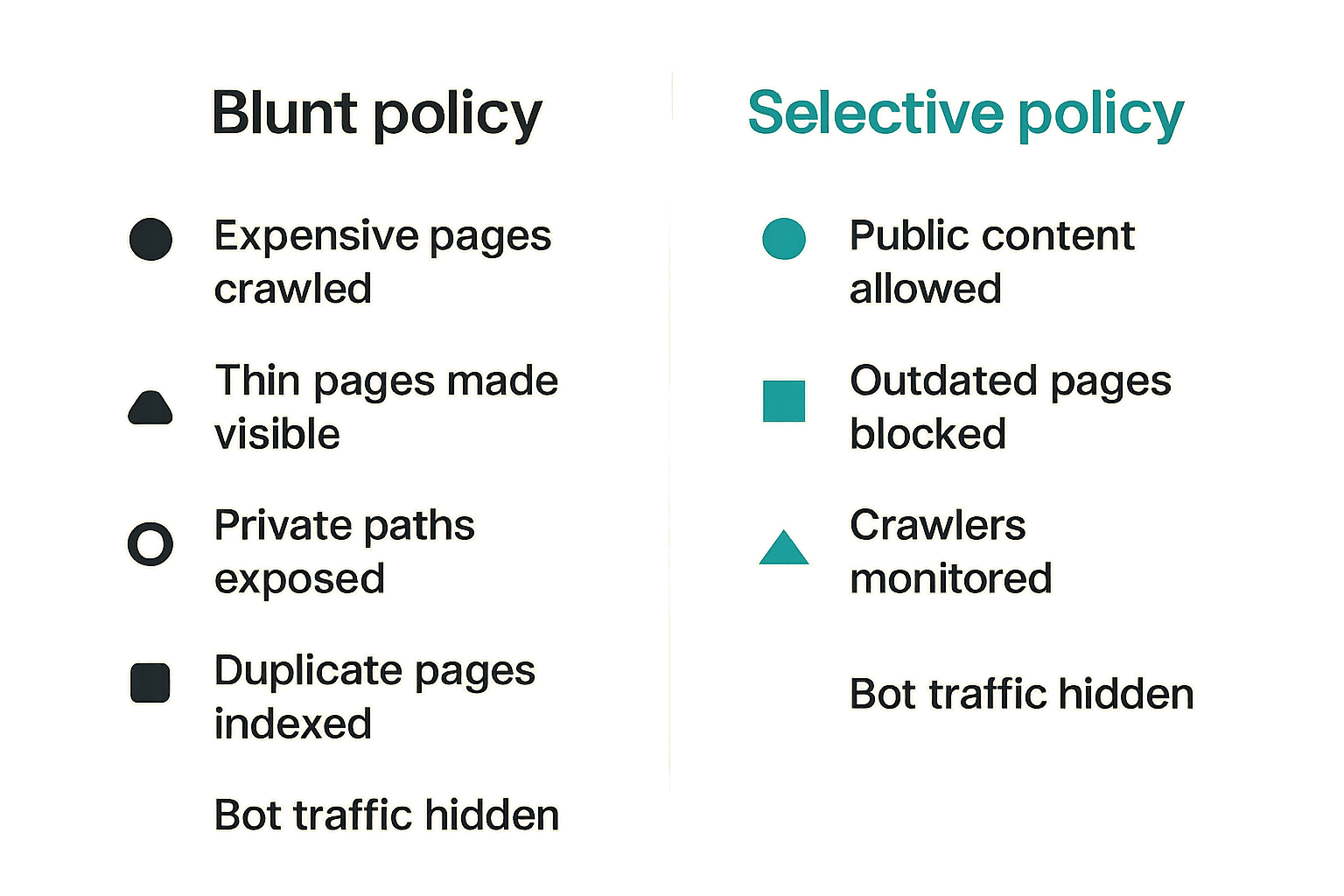
The default allow mistake
Some teams allow every AI crawler because they want visibility. That can work for small public sites, but it is not always safe or efficient.
Default allow can create problems when:
- Expensive pages are crawled repeatedly.
- Thin or outdated pages become visible to answer engines.
- Private or semi-private paths are exposed by mistake.
- Duplicate pages dilute the canonical answer.
- Crawlers index pages that support should not cite.
- Bot traffic hides in normal analytics.
The real issue is not that AI crawlers are bad. The issue is that unmanaged access turns your site into an uncontrolled knowledge source. Answer engines may retrieve content that is technically public but commercially unhelpful or operationally stale.
The default block mistake
The opposite mistake is blocking everything with AI in the name. That may feel safe, but it can remove your site from answer workflows where buyers, researchers, journalists, developers, and customers now ask questions.
If your competitors allow retrieval and publish clear answer-ready content, while your site blocks major AI crawlers and provides no structured guidance, you should not be surprised when answer engines cite them instead.
A better policy is selective:
| Allow | Public content meant for discovery and citation | Freshness, canonical clarity, server load |
| Block | Private, low-quality, duplicate, paid, or sensitive paths | Accidental blocking of useful pages |
| Observe | Unknown or unverified crawlers | Rate, path selection, status codes, abuse patterns |
| Rate limit | Useful crawlers with high load | False positives and failed fetches |
| Route | AI crawlers need better starting points | llms.txt, sitemaps, internal links |
That changes the conversation from should we allow AI bots to which crawler classes deserve which access to which content.
Logs turn crawler theory into crawler reality
What to capture
Logs are where crawler policy becomes evidence. Without logs, list crawlers DC is mostly a document. With logs, it becomes an operating system.
At minimum, capture:
- Timestamp.
- User agent.
- IP address or network metadata.
- Request path.
- Status code.
- Response size.
- Referrer when present.
- Cache status.
- CDN or WAF action.
- Render-critical asset requests.
You do not need to store everything forever. You do need enough retention to compare crawler behavior before and after changes. If you add llms.txt, publish a new content hub, or change robots.txt, you should be able to see whether relevant crawlers requested those files and followed the links.
Related reading from our network: security teams have a similar telemetry problem when they connect AI visibility to detection and response in answer engine optimization threat hunting.
What to alert on
Most sites do not need noisy real-time alerts for every bot request. They need targeted alerts for events that change answer visibility or risk.
Useful alerts include:
- Important crawler receives 403 or 5xx on key pages.
- robots.txt or llms.txt changes unexpectedly.
- AI crawler traffic drops to zero after a deployment.
- Unknown crawler hits sensitive paths repeatedly.
- Crawl rate spikes on expensive endpoints.
- Canonical URLs return redirects or errors.
- Sitemap URLs do not match published content.
A practical dashboard can be simple. Show crawler class, allowed pages, blocked pages, errors, last seen, and top requested URLs. The goal is not surveillance theater. The goal is to catch breakage before answer engines stop seeing the site correctly.
Package content so answer engines can cite it
Traditional SEO taught teams to optimize titles, headings, backlinks, and relevance. Those still matter. But answer engines also need extractable claims, clear entities, concise explanations, and evidence they can reuse.
If you need a baseline distinction, CrawlProof has a plain-language primer on what AEO is and why it is not just SEO. The operational takeaway is that answer engines do not only rank pages. They assemble answers from retrievable, trustworthy, well-structured content.
For content teams, that means pages should include:
- A direct answer near the top.
- Clear definitions where needed.
- Specific product, service, or entity descriptions.
- Dates for time-sensitive claims.
- Authoritative internal links.
- Structured FAQs only where they help.
- Comparisons that reduce ambiguity.
- Evidence of expertise without hiding the answer.
The mistake teams make is writing pages that sound persuasive to humans but vague to machines. A phrase like best-in-class platform is not an answer. A crawler cannot cite it usefully.
Schema should reduce ambiguity
Schema markup is not a ranking spell. It is a disambiguation layer.
Use schema to clarify:
- Organization identity.
- Product or service relationships.
- Article authorship and publish dates.
- FAQ or how-to structures where appropriate.
- Breadcrumbs and site hierarchy.
- Reviews or ratings only when legitimate.
- Software application details if relevant.
Related reading from our network: infrastructure teams in crypto payments face the same need to make technical systems understandable to AI answer engines, as covered in answer engine optimization for blockchain.
What breaks in practice is mismatch. The page says one thing, schema says another, and internal links imply a third. Answer engines prefer coherence. If your homepage, about page, product pages, schema, and llms.txt all describe the business differently, you are making the system guess.
Practical rule: Schema should confirm the page, not compensate for it. If the visible content is unclear, markup will not save the answer.
Implement a list crawlers DC operating workflow
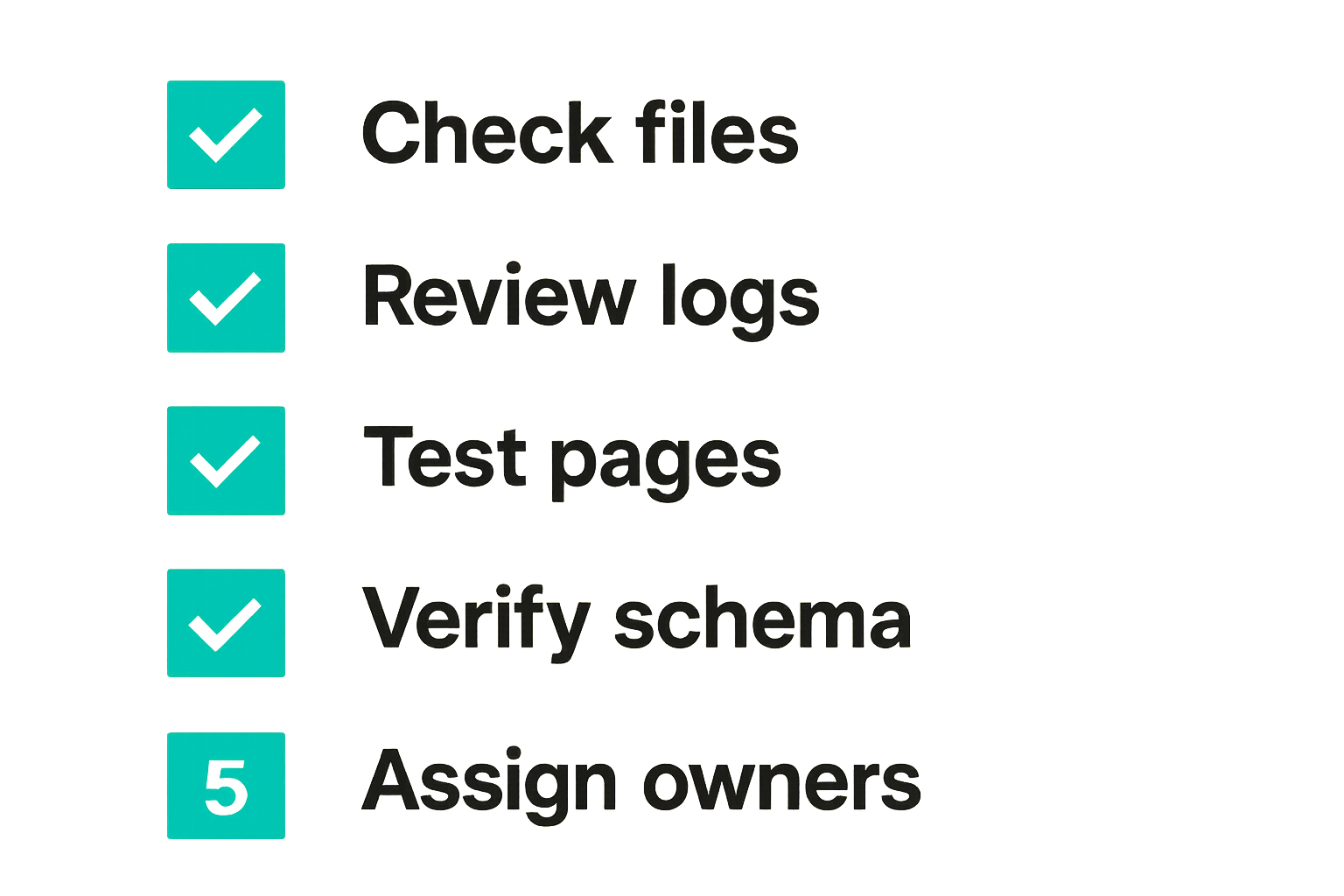
A weekly crawler review sequence
The practical question is how to run this without turning it into another abandoned SEO project. Keep the workflow small, repeated, and tied to releases.
A workable weekly sequence looks like this:
- Review crawler inventory changes. Add new observed crawlers, retire stale entries, and update confidence levels.
- Check robots.txt, llms.txt, and sitemaps for unexpected changes.
- Review top AI crawler requests by path, status code, and response size.
- Confirm key pages return 200, have stable canonicals, and expose useful HTML.
- Inspect error spikes for allowed crawler classes.
- Compare published content priorities against actual crawler paths.
- Update allow, block, observe, or rate-limit decisions.
- Assign fixes with owners and due dates.
This is not a huge meeting. For many teams, thirty minutes is enough if the data is already in front of them. The important part is cadence. AI crawler visibility changes when sites ship, not only when SEO teams run audits.
Ownership has to be explicit
AEO sits between marketing, engineering, content, and security. That is why it breaks when ownership is fuzzy.
Define owners like this:
- Marketing owns business priority and answer positioning.
- Content owns page clarity and citation-ready explanations.
- Engineering owns server behavior, rendering, and deployment safety.
- Security owns abuse controls and sensitive path protection.
- Analytics or operations owns reporting and review cadence.
Nobody has to own everything. But every crawler decision needs one accountable owner and one implementation owner.
A simple RACI table can prevent recurring confusion:
| Allow AI crawler on blog | Marketing | Engineering | SEO and security |
| Block crawler on account paths | Security | Engineering | Operations |
| Update llms.txt | Content | Engineering or CMS owner | Marketing |
| Fix schema mismatch | SEO | Developer or CMS owner | Content |
| Investigate crawler errors | Operations | Engineering | Marketing |
Common failure modes when teams implement it badly
What fails
Bad list crawlers DC implementations usually fail in predictable ways.
First, the inventory becomes stale. A spreadsheet is created during a one-time audit and never connected to logs or deployments. Three months later, nobody trusts it.
Second, teams block or allow too broadly. They use one rule for all AI crawlers, all content, and all risk levels. That creates either exposure or invisibility.
Third, content remains hard to extract. The crawler reaches the page, but the answer is buried under sales copy, hidden in JavaScript, or split across pages with weak internal linking.
Fourth, files disagree. robots.txt allows a path, llms.txt points elsewhere, sitemaps are stale, canonicals are inconsistent, and schema names the entity differently from the page.
Fifth, nobody watches status codes. Crawlers get challenged, redirected, throttled, or served errors after a deployment. The team notices only when answer visibility changes.
What works
What works is less glamorous and more reliable.
Keep a crawler inventory, but attach it to decisions. Validate access from the edge to the rendered page. Maintain robots.txt and llms.txt deliberately. Use logs to prove behavior. Package important pages for extraction. Review the system on a cadence.
For developers, the practical implementation can be as simple as a configuration file plus log review:
crawler_policy:
  ai_answer_crawlers:
    blog: allow
    docs: allow
    pricing: allow
    account: block
    checkout: block
  unknown_automation:
    public_pages: observe
    sensitive_paths: block
review:
  cadence: weekly
  owners:
    policy: marketing
    enforcement: engineering
    risk: security
The exact format does not matter. The discipline matters. You want policy, enforcement, and telemetry to line up.
Operationalizing list crawlers DC with crawlproof.com
What to audit first
CrawlProof exists because most site owners cannot tell what AI crawlers and answer engines actually see. They know what they published. They do not know what is fetchable, extractable, structured, and likely to be understood.
For list crawlers DC work, audit the high-impact paths first:
- Homepage and about page.
- Primary product or service pages.
- Blog or resource hub pages that answer buyer questions.
- Documentation or help center pages.
- Pricing, comparison, and integration pages.
- llms.txt, robots.txt, sitemap, and schema markup.
The goal is not to chase every crawler. The goal is to make the important content discoverable, understandable, and governed. Once that foundation works, crawler lists become useful because they are tied to real access and real pages.
CrawlProof helps site owners and marketers see their site the way AI crawlers do: what can be found, what gets missed, where schema is weak, whether robots rules block visibility, and how AI-facing files can be improved. That is the practical path from list crawlers DC as a keyword to list crawlers DC as an operating workflow.
Try crawlproof.com
You are writing for site owners and marketers concerned with how AI answer engines and LLM crawlers discover and cite their content. Try crawlproof.com to audit what AI crawlers can actually find, parse, and use.