Your best product explanation may be trapped inside a screen share.
A customer success manager walks a prospect through setup. A support engineer fixes a permissions issue live. A founder explains a workflow that is better than anything on the website. The call is useful, but after it ends, answer engines cannot see it, parse it, or cite it.
Teams think the problem is screen sharing answer engine optimization as a content format problem. Record the demo, upload the video, add a title, and hope AI systems understand the value.
The real problem is workflow architecture. If the knowledge created during screen sharing does not become structured, crawlable, source-backed content, it stays invisible to AI answer engines, LLM crawlers, and the users asking them for recommendations.
That changes the conversation. The practical question is not whether screen sharing helps sales, support, or onboarding. It does. The question is whether your screen sharing workflow produces assets that answer engines can trust.
This guide is written for site owners, SEO professionals, content strategists, and developers who already understand classic SEO basics but need a practical way to connect live collaboration, AI indexing, schema markup, transcripts, and answer-ready pages in 2026.
Table of contents
Why screen sharing AEO is a workflow problem
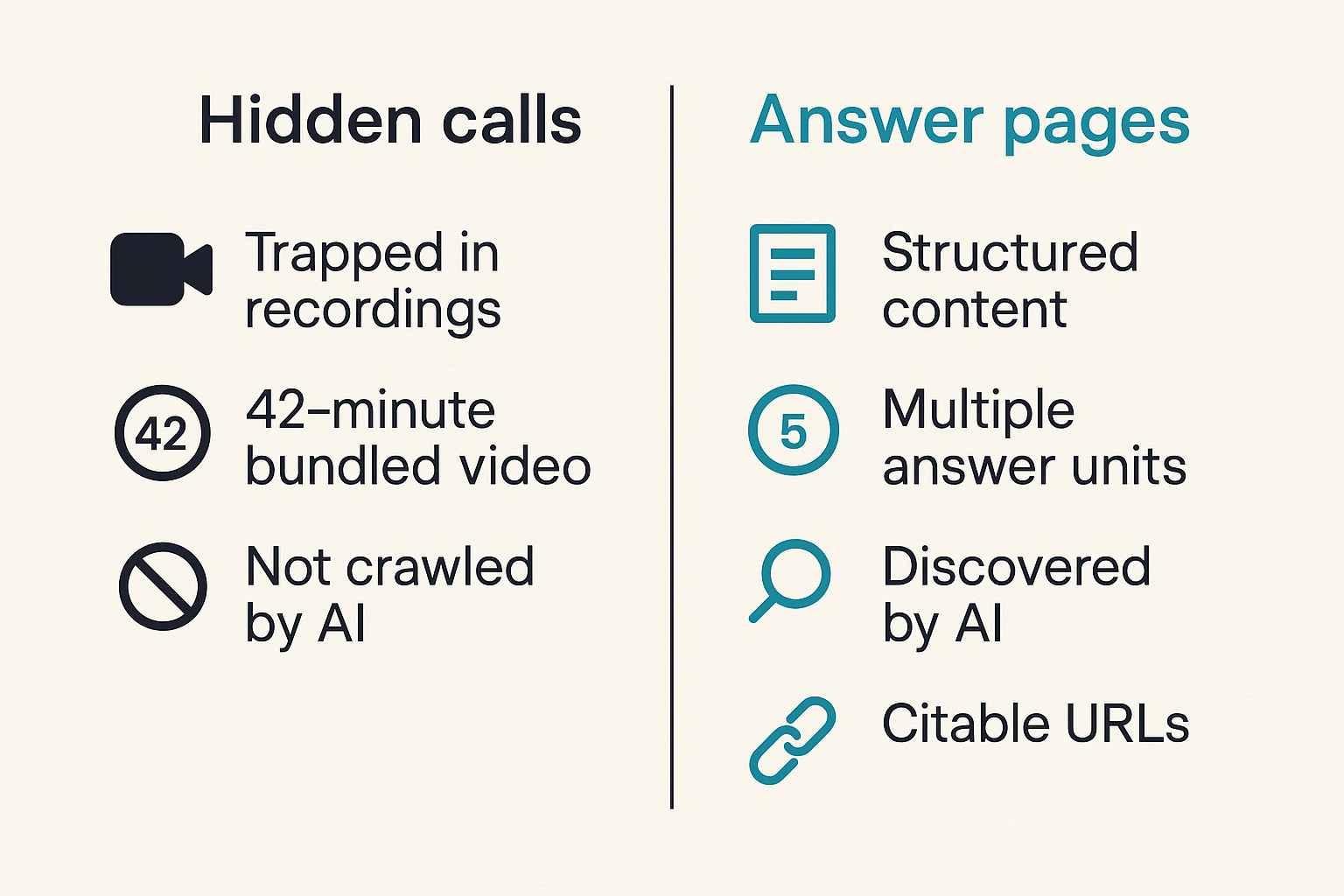
Screen sharing creates high-context knowledge. That is exactly why it is useful to humans and difficult for machines.
On a call, the viewer understands the cursor movement, the speaker's tone, the account context, and the reason a particular button matters. An answer engine does not get that context unless you publish it deliberately. It needs text, structure, entities, canonical URLs, freshness signals, and enough surrounding explanation to know when the answer applies.
The hidden content problem
Many teams already have hundreds of useful screen sharing moments: sales demos, implementation walkthroughs, customer onboarding sessions, bug reproductions, migration explanations, and support fixes. The content exists, but it is operational content, not discoverable content.
The mistake teams make is treating the recording as the deliverable. A recording is evidence. It is rarely the best public answer.
A useful way to think about it is this: every screen share contains multiple answer units. One call may answer:
- How do I invite a teammate?
- Why is screen permission required?
- What happens when remote control is enabled?
- How do I troubleshoot audio or browser access?
- Which plan supports admin controls?
If those answers stay bundled inside a 42-minute video, answer engines have to do too much work. Some may not crawl the video at all. Others may summarize it incorrectly. Most will prefer clearer sources.
The indexing gap
Classic SEO could survive with a decent landing page, a few docs, and strong internal links. Answer engine optimization has a different failure mode. AI systems do not only look for pages that contain keywords. They look for passages that resolve a question with enough context to be reused safely.
For screen sharing topics, that means the page must clarify the user, the environment, the constraint, and the outcome. A page saying that your tool supports screen sharing is weak. A page explaining how browser-based screen sharing works on macOS with permissions, fallback steps, and collaboration roles is much more useful.
Practical rule: if a human needs to watch more than two minutes of video to find the answer, the page is not yet answer-engine ready.
The ownership gap
Screen sharing knowledge usually lives across teams. Sales owns demos. Support owns troubleshooting. Product owns feature behavior. Marketing owns public pages. Engineering owns permissions, browser behavior, and release changes.
What breaks in practice is ownership. A marketer publishes a demo page, but support knows the workaround changed. Engineering updates the product, but the recorded walkthrough still shows the old setting. Sales keeps using a strong explanation, but it never reaches the website.
Screen sharing answer engine optimization only works when someone owns the conversion from live knowledge to public knowledge. Without that owner, the site becomes a museum of outdated demos.
Screen sharing answer engine optimization starts with intent
Screen sharing answer engine optimization is not one content type. It is a way to route live collaboration into the right public asset.
The same recording can be useless, sensitive, or extremely valuable depending on the intent behind it. A procurement demo, a support escalation, and a customer onboarding session should not be processed the same way.
Separate demo intent from support intent
Demo intent is comparative and evaluative. The user wants to know whether a tool can solve a problem. Support intent is procedural and corrective. The user wants to fix something that is already blocking them.
Those differences matter because answer engines often surface different sources for different tasks. A demo-oriented page should explain capabilities, workflow fit, roles, and limitations. A support-oriented page should provide exact steps, prerequisites, error states, and recovery paths.
| Sales demo | Can this solve my workflow? | Use case page with short clips and structured FAQs | Too promotional to be cited |
| Onboarding call | How do I set this up? | Setup guide with screenshots and steps | Missing prerequisites |
| Support screen share | Why is this failing? | Troubleshooting article | Sensitive details leaked |
| Product walkthrough | What changed in this release? | Feature page plus changelog entry | Old behavior remains indexed |
| Training session | How should my team use this? | Playbook or role-based guide | Too long and generic |
Capture the question before the answer
The most important AEO artifact from a screen share is often not the video. It is the original question.
Before a call, capture the exact user wording. During the call, note the point where the explanation actually resolved the issue. After the call, convert that into a query-answer pair. This preserves language that real users use, not only the language your product team prefers.
For example, a user may not ask, how do I configure collaborative permission delegation? They ask, why can't my teammate control my screen? The second version is more likely to match answer-engine prompts.
Decide what should become public
Not every screen share should become content. Some calls are too specific, too sensitive, or too dependent on a customer's private setup. Others are gold because they reveal a recurring confusion that your website does not answer.
Use a simple routing rule:
- Recurring and safe: publish as a public guide.
- Recurring but sensitive: publish a sanitized pattern.
- Rare but high-value: add to internal enablement first.
- Product defect: fix the product or docs before creating content.
- Account-specific: do not publish; extract only general lessons.
Practical rule: do not optimize private customer context for public AI discovery. Extract the reusable pattern, redact the specifics, and publish the general answer.
Map screen sharing sessions into AI-readable assets
A screen share is not inherently legible to an answer engine. You have to transform it.
The team at pairux.com works closely with remote collaboration workflows, and one lesson from that space applies directly to AEO: the useful artifact is not the meeting itself, but the shared state that survives after the meeting.
Turn recordings into answer pages
If you publish recordings, make the page around the recording do the heavy lifting. The page should stand alone even if the video is ignored.
A strong answer page includes:
- A direct summary of the problem solved.
- The user role or scenario.
- Prerequisites and permissions.
- Step-by-step instructions.
- Short clips only where visual proof matters.
- A transcript or edited transcript.
- Related troubleshooting paths.
- Last reviewed or updated date.
Do not bury the answer under a hero video. Answer engines need extractable text. Users need fast resolution.
Use transcripts as raw material, not final content
Transcripts are useful, but raw transcripts are noisy. They include filler, interruptions, false starts, repeated phrases, and account-specific details. Publishing them unchanged often creates transcript sludge: lots of words, weak structure, unclear authority.
A better workflow is to use transcripts as raw material for edited answer blocks. Keep the language natural, but impose structure:
- Question answered.
- Short answer.
- Step sequence.
- Edge cases.
- When to contact support.
- Related concepts.
This is especially important for AI answer engines because they may extract fragments. If the fragment starts mid-conversation, the answer can become misleading.
Preserve steps, states, and constraints
Screen sharing often explains state. The user sees what happens before and after a click. Your page needs to capture that state explicitly.
Weak version:
Better version:
- Click Share Screen after joining the room as host. If your browser asks for permission, choose the window or tab you want to share. On macOS, you may need to allow screen recording permission in system settings before the browser can share the screen.
Answer engines prefer the second version because it explains the condition under which the instruction works.
Build a source-of-truth answer layer for screen sharing topics
Once screen sharing insights become public content, you need a source-of-truth layer. Otherwise, the same answer gets repeated across blogs, docs, help articles, release notes, and video descriptions with small contradictions.
Contradictions are bad for users and worse for answer engines. If three pages explain the same feature differently, an AI system may choose the wrong one or avoid citing any of them.
Create canonical pages for repeat questions
Start with the questions that appear repeatedly in demos and support sessions. Give each recurring question a canonical answer page.
Examples:
- How does browser-based screen sharing work?
- How do remote control permissions work?
- Why does screen sharing fail on macOS?
- Can guests join without installing an app?
- How do admins manage recording access?
Each page should have one clear job. Do not make one giant screen sharing guide answer every possible question. Large guides can rank, but answer engines often need focused passages.
Connect docs, videos, and FAQs
A canonical answer page should connect related assets without duplicating them blindly.
Use this model:
- The canonical page gives the answer.
- The video demonstrates the workflow.
- The docs provide complete configuration detail.
- The FAQ handles narrow variants.
- The changelog explains version-specific changes.
Internal links help crawlers understand relationships, but the language around the links matters. Link from the exact concept, not from vague phrases. If the topic is remote control permission, the anchor should describe remote control permission, not learn more.
Make internal ownership explicit
Every answer page needs an owner. For screen sharing topics, ownership may rotate between product marketing, support, and engineering, but it cannot be anonymous internally.
A simple ownership record should include:
- Content owner.
- Technical reviewer.
- Review frequency.
- Last product version checked.
- Related support macros.
- Related sales demo script.
This is not bureaucracy. It prevents public answers from drifting away from product reality.
Technical markup answer engines can trust
Answer engines need more than good prose. They need machine-readable signals that clarify what the page is, what media it contains, and how it relates to the rest of your site.
This is where AEO overlaps with technical SEO, structured data, crawler access, and emerging AI-specific conventions.
Use schema to describe the asset
Schema markup should match the actual asset. Do not add markup because it sounds impressive. Add it because it helps machines interpret the page.
Useful schema patterns for screen sharing content may include:
- HowTo for procedural setup or troubleshooting pages.
- FAQPage for tightly scoped questions and answers.
- VideoObject for embedded demos or clips.
- SoftwareApplication for product pages.
- Organization for brand and author identity.
- BreadcrumbList for site structure.
A lightweight schema planning table can help:
| Setup guide | HowTo | Steps, tools, prerequisites, updated date |
| Troubleshooting article | FAQPage or HowTo | Error names, conditions, accepted solution |
| Demo clip page | VideoObject | Transcript, thumbnail, duration, upload date |
| Product capability page | SoftwareApplication | Feature description, operating environment |
| Training playbook | Article | Author, reviewed date, related guides |
The practical question is whether the markup reflects the visible page. If the schema says there is a step-by-step guide but the page is a sales pitch, trust drops.
Expose crawler guidance with llms.txt
In 2026, many site owners are experimenting with llms.txt to clarify important AI-readable resources. It is not a magic switch, and no one should treat it as a replacement for crawlable pages. But it can help you point AI systems toward your best canonical resources.
For screen sharing AEO, your llms.txt strategy might highlight:
- Core product explanation pages.
- Canonical setup and troubleshooting guides.
- API or integration documentation if relevant.
- Pages you want answer engines to prefer over old blog posts.
- Policies about crawling, attribution, and allowed use.
Keep it clean. If you dump every URL into llms.txt, you recreate the same noise problem in a new file.
Keep video, transcript, and page URLs aligned
A common implementation mistake is splitting assets across platforms without durable relationships. The video lives on one platform, the transcript in another, the blog post on the CMS, and the help doc somewhere else. Crawlers see fragments, not a system.
Use stable URLs and cross-references:
- The video page links to the canonical answer page.
- The canonical page embeds or links to the video.
- The transcript is on the same page or linked clearly.
- The schema references the same media asset.
- The sitemap includes the canonical page.
Practical rule: one answer should have one canonical public home. Supporting assets can exist elsewhere, but they should point back to the source of truth.
What works: capture, structure, publish, validate
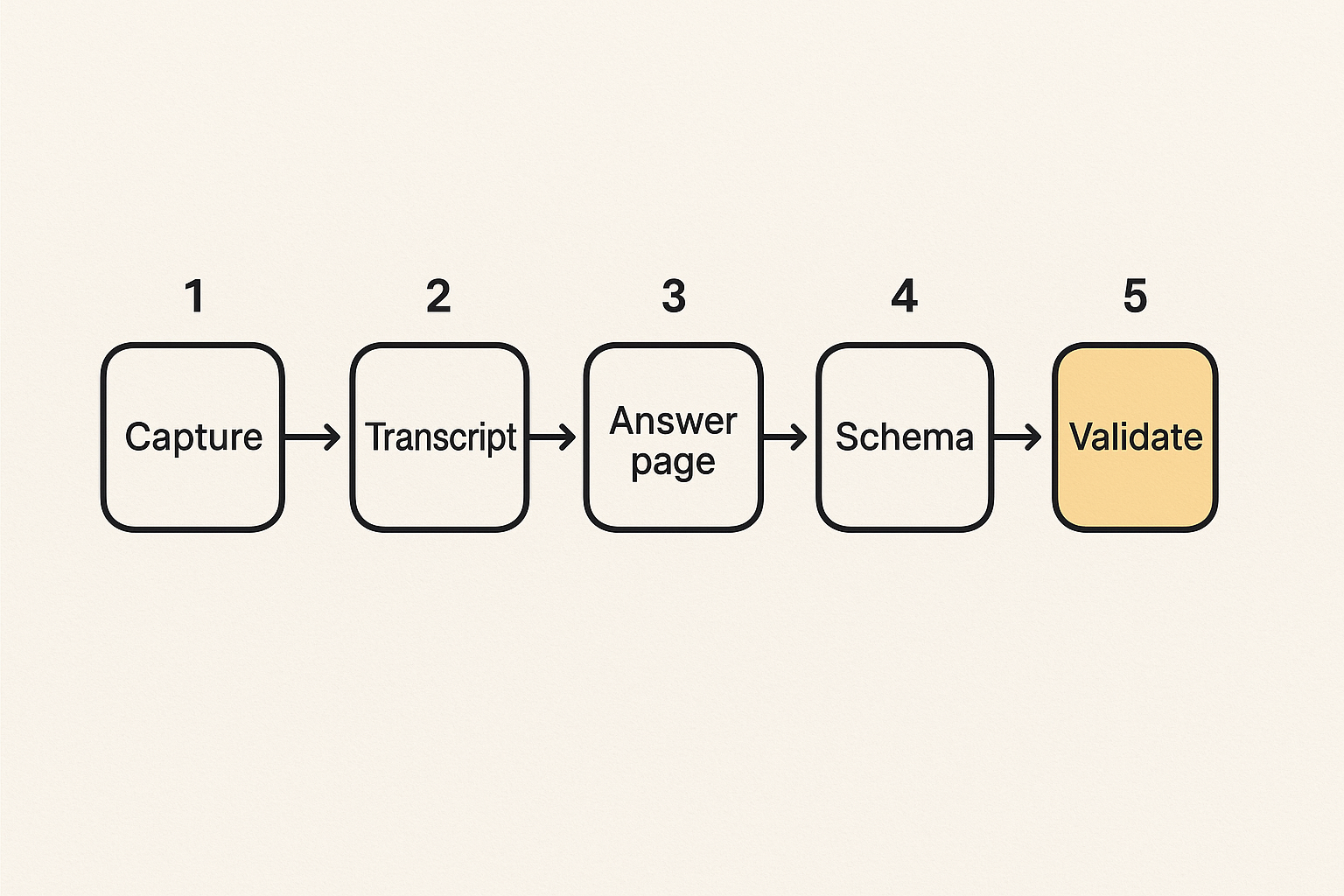
Screen sharing answer engine optimization works best when it becomes a repeatable pipeline. Not every session needs the full process, but recurring topics do.
The goal is not to create more content. The goal is to convert high-value collaboration into answer-ready assets with enough structure to be found, understood, and cited.
A practical implementation sequence
Use a workflow like this:
- Tag the session type. Mark each screen share as demo, onboarding, support, training, product, or internal.
- Capture the user question. Store the exact wording before the call or from the chat.
- Record only when appropriate. Get consent and avoid capturing sensitive material unnecessarily.
- Generate a transcript. Use it as source material, not as final copy.
- Extract answer units. Identify the actual questions answered during the session.
- Route each unit. Decide whether it becomes a public page, private help content, sales enablement, or product feedback.
- Create or update the canonical page. Add clear steps, constraints, screenshots, clips, and related links.
- Add structured data. Match schema to the page type and visible content.
- Update crawler guidance. Include important canonical resources in sitemaps and, where appropriate, llms.txt.
- Validate discovery. Check whether crawlers can access the page and whether answer engines summarize it accurately.
This sequence keeps teams from publishing random recordings just because they exist.
A lightweight content model
A practical content model for screen sharing AEO does not need to be complicated. It needs to be consistent.
For each answer page, define:
- Primary question.
- Short answer.
- Audience.
- Product area.
- Prerequisites.
- Steps.
- Visual proof.
- Transcript source.
- Related errors.
- Updated date.
- Owner and reviewer.
Developers can implement this in a CMS using custom fields. Content teams can implement it in a template. The specific system matters less than the discipline.
Before you promote a screen sharing-derived page, test it like a machine and a user.
Ask:
- Can the page answer the question without the video?
- Is the answer visible in HTML, not only inside an embedded player?
- Does the structured data match the page?
- Are sensitive details removed?
- Is the canonical URL clear?
- Would a support agent trust this page today?
- Would an AI summary misrepresent any step?
If the answer to the last question is yes, tighten the language before publishing.
What fails when teams optimize screen sharing badly
Bad screen sharing AEO usually looks productive at first. The team publishes more videos, more transcripts, more pages, and more snippets. Then support tickets continue, AI answers stay vague, and old demos start appearing in places they should not.
What breaks in practice is not effort. It is quality control.
Publishing recordings without context
A recording without context is a weak source. It may show the workflow, but it does not explain who the workflow is for, which version it applies to, what permissions are required, or what to do when the happy path fails.
This is especially risky for screen sharing and remote control topics because permissions differ by browser, operating system, role, and policy. A generic demo may accidentally imply that every user can do something that only hosts or admins can do.
What works:
- Publish short clips only where visuals add clarity.
- Surround clips with explicit explanation.
- Add prerequisites and limitations.
- Link to canonical troubleshooting pages.
What fails:
- Uploading full calls as public content.
- Using auto-generated titles and descriptions.
- Hiding the answer below the video.
- Ignoring version changes.
Creating transcript sludge
Transcript sludge happens when teams treat word count as coverage. They publish long transcripts because they are easy to generate. The result is a page with many tokens and little answer quality.
Answer engines may process the text, but processing is not the same as trusting. A transcript that includes uncertain language, corrections, customer-specific names, and contradictory statements is a poor citation source.
The fix is editorial structure. Convert the transcript into clean sections. Keep quotes only when they add value. Remove irrelevant side discussions. Add headings that match user questions.
Letting outdated demos survive
Old screen sharing content can become actively harmful. UI changes, permission models shift, browser behavior changes, and product defaults evolve. If old demos remain indexed, answer engines may keep repeating obsolete steps.
Use expiration rules for volatile topics. For example:
- Browser permission guides reviewed quarterly.
- Admin control pages reviewed after every release.
- Security-related pages reviewed by engineering.
- Product walkthrough videos retired when the UI changes materially.
AEO is not publish-and-forget. It is ongoing maintenance of machine-readable truth.
Security, privacy, and remote-control boundaries
Screen sharing content carries more risk than ordinary blog content. It may expose customer data, internal tools, emails, tokens, account names, browser extensions, or workflow details that should not become public.
If you want answer engines to discover and cite your content, you also need to decide what they should never see.
Redaction is part of the workflow
Redaction cannot be an afterthought. It should happen before content enters the public publishing queue.
Redact or remove:
- Customer names and logos unless approved.
- Email addresses and usernames.
- Access tokens, API keys, session IDs, and URLs with secrets.
- Internal dashboards.
- Private Slack or chat messages.
- Account-specific pricing or contract details.
- Security settings that reveal internal posture.
Do not rely on blurring alone if the transcript, alt text, file name, or surrounding page still exposes the detail.
Remote control details need boundaries
Remote control is a sensitive topic because it involves trust and agency. Users want to know who can control what, when consent is required, how control can be revoked, and what is logged.
A strong public answer explains the model without exposing exploitable detail. For example, explain that a host can revoke control and that permission is session-scoped. Do not publish internal implementation details that could help abuse the system.
The balance is important. Too little detail reduces trust. Too much detail creates risk. The right level is user-operational: enough to understand safe use, not enough to reverse engineer controls.
Trust signals matter to answer engines
AI systems are more likely to rely on content that appears maintained, specific, and attributable. For sensitive screen sharing topics, trust signals are not decoration.
Include:
- Clear authorship or organizational ownership.
- Review dates.
- Version applicability.
- Security and privacy notes.
- Links to policies where relevant.
- Consistent terminology across pages.
This helps users and machines make the same decision: whether the page is safe to trust.
Measure answer visibility and close the loop
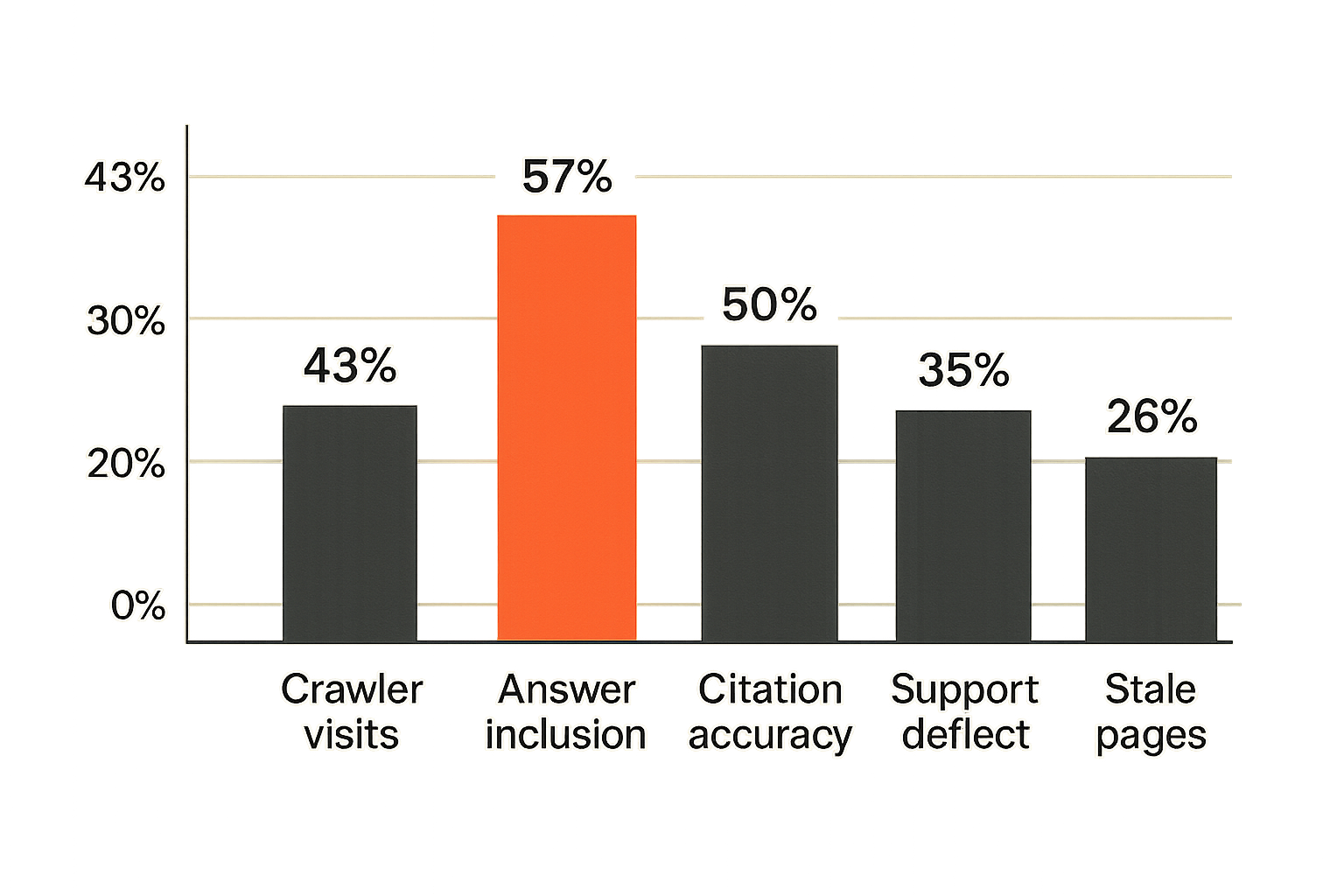
If you only measure rankings and pageviews, you will miss the point of answer engine optimization. The outcome you care about is whether AI systems can find, interpret, and reuse your best answers accurately.
For screen sharing topics, measurement should connect discovery, citation, support reduction, and content freshness.
Track answer inclusion, not only rankings
AEO measurement is still evolving, and no dashboard sees everything. But you can build a practical signal set.
Track:
- Whether AI answer engines mention your brand for target questions.
- Whether cited pages are the canonical pages you intended.
- Whether summaries match your current product behavior.
- Which pages receive AI crawler activity.
- Which queries generate support tickets despite existing content.
- Which old pages still attract crawler traffic.
Do not overfit to one model or one interface. The goal is directional control, not perfect attribution.
Use support and sales feedback as query research
Screen sharing sessions are excellent query research because they reveal live confusion. A support ticket tells you the issue. A screen share shows you where the user got stuck.
Build a loop between customer-facing teams and content owners:
- Sales flags repeated demo objections.
- Support flags repeated troubleshooting calls.
- Product flags behavior that changed.
- Marketing updates canonical answer pages.
- Developers verify technical accuracy and markup.
This loop is where screen sharing AEO becomes operational instead of theoretical.
Fix weak assets instead of producing more
When AI systems ignore your content, the answer is not always more pages. Often the better move is to improve the existing source of truth.
Check for:
- Thin answers.
- Missing prerequisites.
- No transcript or poor transcript.
- Conflicting pages.
- Weak internal links.
- Missing schema.
- Blocked crawlers.
- Old videos with current titles.
The practical question is which asset should win for a given answer. Once you know that, make it unambiguously better than the alternatives.
Where CrawlProof fits in the screen sharing AEO stack
Screen sharing answer engine optimization sits at the intersection of content operations, technical SEO, AI crawler behavior, and trust. You need workflows to produce answer-ready pages, but you also need visibility into whether machines can actually discover them.
That is where CrawlProof fits naturally for site owners and marketers building an AEO program.
Crawler behavior becomes an operating signal
If an AI crawler never reaches your canonical guide, it cannot cite it. If it keeps crawling outdated demo pages, your architecture is sending the wrong signal.
CrawlProof helps teams understand how AI crawlers interact with their sites, so AEO decisions are based on observed behavior rather than guesses. For screen sharing topics, that means you can watch whether crawlers find the pages that explain your workflows, permissions, troubleshooting steps, and product capabilities.
Schema and llms.txt need ongoing maintenance
Structured data and llms.txt are not one-time setup tasks. They need maintenance as your content library changes.
When a new canonical guide replaces an old recording page, crawler guidance should change. When a troubleshooting article becomes the best source for a recurring screen sharing problem, schema should reflect that. When a demo becomes outdated, it should be retired, redirected, or clearly marked.
CrawlProof helps make those maintenance tasks visible, which is the difference between an AEO strategy and a pile of hopeful content.
Try crawlproof.com
CrawlProof helps site owners understand AI crawler behavior, AEO readiness, schema markup, and emerging standards like llms.txt. If screen sharing answer engine optimization is becoming part of your content workflow, Try crawlproof.com.